
Printable setup kit
Parent Tech Quick-Start Kit
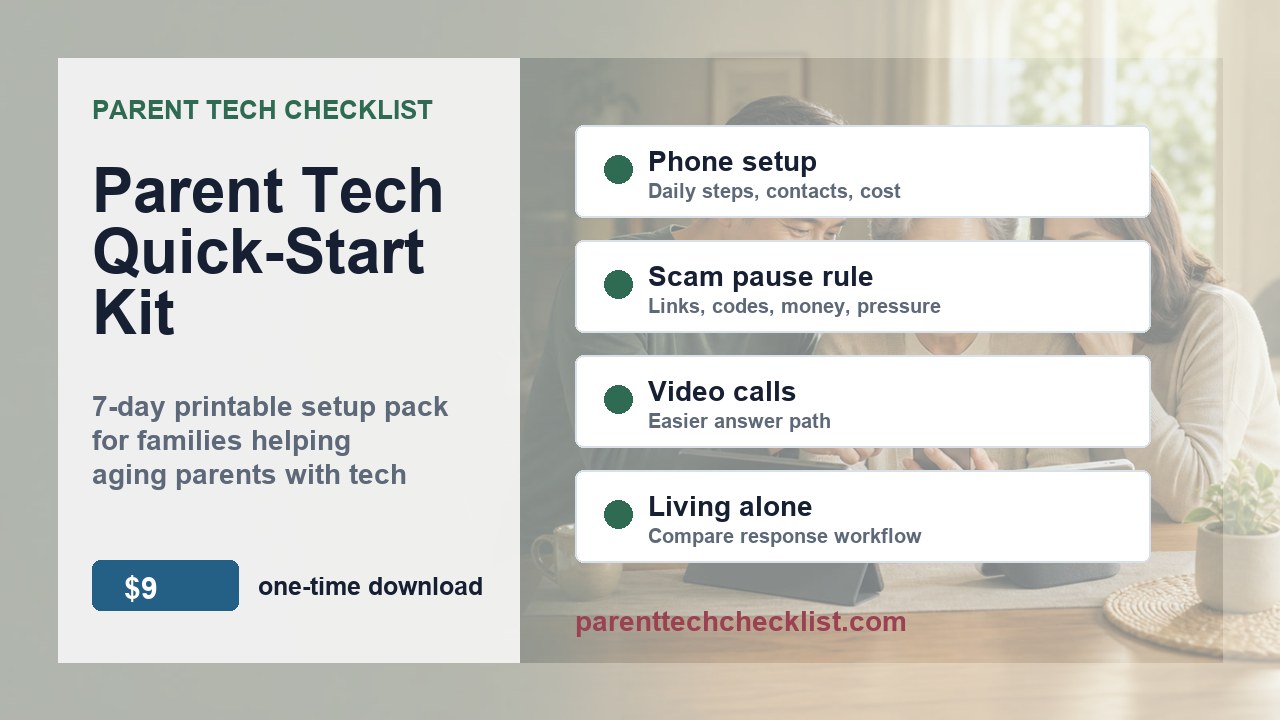
A $9, one-time download for US families: five printable guides plus a filled seven-day family video-call example (six PDFs total). Use the example to plan one setup week before buying or changing technology.
The checkout button opens a short fit check first, then continues to Gumroad. Use that pause to confirm the kit matches this week's family setup problem.
- Buy the kit if one family owner can spend 30 minutes this week choosing the first worksheet and next setup step.
- Start with the free checklist if today's only problem is one suspicious call or message.
- Do not buy it for emergency response, account recovery, medical decisions, or done-for-you device setup.
- Read the filled seven-day family example, then open the 7-day plan and choose one family owner.
- Pick the worksheet that matches this week's problem.
- Write the next setup step before comparing devices or changing accounts.
Try the format first
One family decision you can make today
Try the free scam-call worksheet with one adult family member. Agree on a pause phrase, choose who to call back, and decide where to keep the rule. The five original guides are also available free below. The paid kit gathers them into one ZIP and adds a filled, fictional seven-day family video-call example.
The free worksheet works on its own. Pay only if the bundled download and filled example are useful to you.
What is inside
Six PDFs for one family setup week
Free or paid
What does the $9 bundle add?
The five original guides are available individually at no charge. Their guidance is also included in the paid ZIP. The $9 bundle adds a filled seven-day family video-call example and the convenience of one download with a README and cover image.
- Free 7-Day Parent Tech Setup Plan
- Free Senior Phone Buying and Setup Checklist
- Free Scam Call Family Pause Rule Pack
- Free Video Call Setup Checklist
- Free Living Alone Tech Comparison Worksheet
Is the filled example a real family's result?
Fictional and illustrative; it is not a real family result or a promise of an outcome.
Do I need to buy a new device to try it?
The example's first 20 minutes use an existing phone and a video-call app that is already signed in. Read it first, then adapt the blank plan to your family. Pause if consent, sign-in, or a comfortable next step is unclear.
Delivery, help and refund information
Gumroad handles checkout, the receipt and access to the digital files. Keep the receipt so you can return to your download. Open the ZIP, read the README and filled example, then start your own 7-day plan; print only the pages you need.
If a file will not open or an instruction is unclear, contact Parent Tech Checklist with the product name, a receipt reference and the file or step involved. Do not send passwords, payment card details or private information about your parent.
Before paying, review the current refund terms displayed on the Gumroad product or checkout page. This preview does not promise additional refund rights or override those terms. A click on the checkout link is not a completed purchase.
Fit check
Buy this when the next device decision needs a calmer process
Built for family decisions, not product hype
This kit is for adult children and family caregivers who need a practical setup conversation before buying devices or changing phone settings.
- Use it before you buy a senior phone, smartwatch, smart display, or call blocking tool for a US household.
- Use it again before handing a device to your parent.
- Keep it as a monthly review checklist for missed calls, confusing prompts, and setup friction.
Why this stays simple
The first version is a printable download, not an app, service, or device setup offer. Families can review the workflow first, buy once, print what they need, and keep using the worksheets during future setup checks.
Need a second pass?
$29 Personalized Setup Review waitlist
This is a demand test for families who want a lightweight checklist review after completing the kit. It would stay limited to setup friction, family handoff, and comparison questions.
Affiliate disclosure: This product page does not include vendor or affiliate links. Some future guide pages may include approved affiliate links after program terms and tracking are confirmed.
Product status: Checkout is live on Gumroad. This page is the overview and notes page; file delivery and payment processing are handled by Gumroad.